If you’ve ever worked with networking gear—whether you’re building a small office server rack or scaling a data center—you know how frustrating it is when a shiny new optical module straight out of the box just won’t speak to your existing switches, routers, or transceivers. I’ve been selling optical modules for over a decade, and I can’t count how many times a customer has called me, panicking, saying, “I bought three modules that should fit, but none of them work.” Most of the time, it’s not that the modules are broken—it’s compatibility issues that trip everyone up. Let’s break down the most common ones, straight from what I see every day on the job. Optical Module
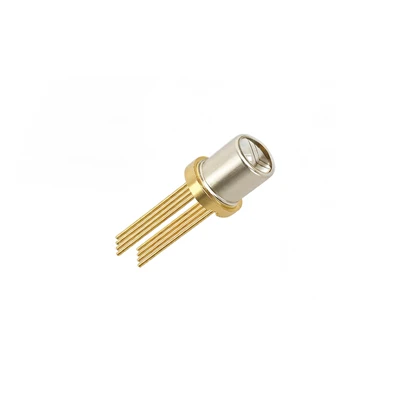
First up, form factor mismatches, and this is way more common than people realize. You’d think a “QSFP28” module would fit a QSFP28 port, but nope. It sounds silly, but form factors have tiny, easy-to-miss variations that aren’t universal. For example, QSFP-DD vs. OSFP modules look similar at a glance, but their pin assignments, latching mechanisms, and even internal dimensions are totally different. A lot of guys shopping for modules online just search “QSFP28 SR4” and grab the first one that pops up, not checking if the port on their switch is actually a QSFP+ instead of QSFP28. Wait, that’s another one—QSFP+ and QSFP28 ports are physically the same size, but the electrical signaling is different. QSFP+ runs at up to 16 Gbps per lane, QSFP28 is 28 Gbps. If you stick a QSFP28 module into a QSFP+ port, it might power on, but it’ll never get the right data rate, leading to dropped connections or half-speed links. I’ve had customers swap a whole batch because they didn’t check the port speed first—total avoidable headache.
Next, protocol and standard compliance gaps. This is where things get technical, but I’ll keep it real simple. Optical modules have to follow specific industry standards set by organizations like the IEEE (for Ethernet) or InfiniBand, right? The SR4 for 100G Ethernet is standardized, but some no-name module vendors cut corners on compliance tests to save money. Their modules might fit physically, but the electrical signals they send don’t match what the switch expects. I had a customer last year who bought a cheap 100G QSFP28 module from a random online store; it fit, but the 850nm laser didn’t meet the IEEE’s power tolerance specs. The switch kept flagging it as a “non-compliant module” and shutting it down after 5 minutes. We fixed it by replacing it with a module that’s IEEE 802.3bm compliant—turns out the cheap one skipped the compliance testing to undercut prices. Also, protocol-specific stuff: some modules are made for Ethernet, others for InfiniBand, and they aren’t interchangeable. Stick an InfiniBand EDR module into an Ethernet port, and it just won’t work, no matter how hard you try.
Then there’s host device firmware incompatibility. Even if your module is 100% compliant with the standard, your switch or router’s firmware might not support it. I see this all the time with older hardware. Let’s say you have a 2021 switch that only runs firmware version 1.2, and you buy a new 2023 module. The switch’s firmware hasn’t been updated to recognize the new module’s electronic ID (EID) data, so it rejects it. A lot of customers don’t think to check firmware compatibility before buying—they just assume new modules work with old gear. Last quarter, a customer with a Cisco Nexus 9300 series switch tried using a 400G OSFP module; Cisco’s official docs say firmware 10.2(5) or higher is required, but he was running 10.2(1). We walked him through updating his firmware, and boom—the module worked. No big deal, but it’s a step people skip. Also, some proprietary switch vendors (yeah, I’m looking at you, Cisco and Juniper) lock their ports to only “approved” modules. It’s not a hard block, but if the module isn’t on their compatibility list, it might work, or it might throttle speed to half. I’ve had customers get around this sometimes by tweaking a hidden switch setting, but 50% of the time, they just have to stick to approved modules—and that’s where we come in, because we make modules that are tested to match those lists, no issues.
Distance and fiber type mismatches. This is another one that trips up newbies. Optical modules are rated for a specific distance and fiber type, and mixing them wrong kills performance. For example, a 100G QSFP28 SR4 module is rated for up to 100 meters over multimode fiber (MMF) with OM3 or OM4 cable. If you plug it into OM2 fiber, which only does 55 meters for 100G, you’ll get no link or constant errors. I’ve seen people use single-mode fiber (SMF) with an SR4 module—SR4 is for short-range, it uses a 850nm VCSEL laser that doesn’t work with SMF’s core size. On the flip side, a 100G LR4 module is for up to 10km over SMF; if you stick it in MMF, the light will spread too much, and you’ll get zero signal. Even the cable quality matters—cheap patch cables with bad connectors can mess with the module’s transmit power, leading to compatibility issues even if the rest of the parts are right.
Power supply and thermal constraints. Optical modules draw a specific amount of power, and if your switch’s power budget for that port is too low, it won’t work. High-speed modules like 400G OSFP or 800G QSFP-DD draw way more power than 10G modules—up to 15W vs. 1.5W for older 10G SFP+. If you stick an 800G module into an old switch that only supplies 10W per port, it’ll power on, but it’ll shut down from overcurrent protection. Thermal is another big one, especially for dense data centers. If you’re stacking 40 modules in a switch chassis, the airflow might not be enough to keep the modules cool. A module designed for 40°C ambient might overheat in a cabinet with 50°C ambient, triggering thermal shutdown. I’ve had customers move their switch to a cooler rack, and the modules started working again—turns out the old spot was too hot.
Wait, let’s talk about something a lot of people don’t mention: brand vs. third-party module compatibility. Big names like Cisco, Finisar, Intel make great modules, but they’re expensive. A lot of businesses use third-party modules to save money, but some of those third-party vendors skip testing with popular switch models. For example, a QSFP28 module that works on a Juniper switch might not work on an Arista switch, even if they’re the same form factor and protocol. That’s why we at our shop test every module with the top 20+ switch brands (Cisco, Juniper, Arista, Dell, etc.) before we ship them. We don’t just plug them in and check the lights—we run speed tests, latency checks, and compatibility with different firmware versions. That’s the difference between us and the no-name guys on Amazon: we don’t just sell modules, we make sure they work with the gear you already own.
I get it, navigating all this stuff is overwhelming. You’re trying to build a network that works, on time and on budget, and compatibility issues can blow up your timeline. Last month, a client came to us because they’d ordered 12 modules from a big online retailer, and half of them were incompatible with their new Arista switch. They’d spent 3 days troubleshooting, swapped cables, checked firmware, nothing worked. We pulled our own modules out, plugged them in, and they worked immediately. Turned out the no-name modules had a pin assignment error that Arista’s switch caught, but the other brands’ switches didn’t. That’s the kind of stuff we catch in pre-shipment testing.
So what can you do to avoid these issues? First, triple-check the form factor, port speed, and protocol of your module vs. your port. If you’re using QSFP28, confirm it’s QSFP28, not QSFP+ or OSFP. Second, check the module’s compliance: make sure it meets the right IEEE (or InfiniBand, if that’s your protocol) standard. Third, confirm your switch firmware is up to date—most of the time, a simple update fixes compatibility blocks. Fourth, match the module’s distance and fiber type exactly. And if you’re buying third-party modules, go with a vendor that tests their modules with your specific switch model, not just generic specs.

At the end of the day, optical module compatibility is a mix of small, easy-to-miss details and testing. I’ve been in this game long enough to know that no two networks are exactly the same, so one-size-fits-all modules don’t always work. If you’re dealing with modules that won’t play nice, or you’re planning a new build and want to make sure everything fits, hit us up to chat. We can walk you through what works with your gear, run through any questions you have, and make sure you don’t end up stuck with a bunch of modules that don’t work. It’s way better to fix compatibility before you buy, instead of after.
Optical Module References
- IEEE 802.3-2022: Standard for Ethernet
- QSFP-DD MSA Group: QSFP-DD Multi-Source Agreement Specification
- OSFP MSA Group: OSFP 8×25 Gbps and 8×50 Gbps Module Specification
- InfiniBand Architecture Specification, Volume 1: Core Protocol
Zhejiang Chengmei Technology Co., Ltd.
As one of the most professional optical module manufacturers and suppliers in China, we’re featured by quality products and good price. Please rest assured to wholesale bulk premium optical module made in China here from our factory. Also, quotation is available.
Address: No. 383, Jinhe Road, Qinshan Street Industrial Park, Haiyan County, Jiaxing City, Zhejiang Province
E-mail: shiwei@cm-semi.com
WebSite: https://www.cmfiber.com/
